Hand-Made Mac Tip No. 5
Bookmark Management Features - Firefox 2 vs Firefox 3
I finally updated to Firefox 3 today. I think I'm in love. So far, Firefox 3 feels smooth and silky. It's peppy and easy on the eyes. One of the first things I notice is that the scrolling feels and reacts much like the swiping on an iPhone. I don't have an iPhone yet, but I've petted my sister-in-law's iPhone, so I have at least interacted with the device and played around with the UI. I have my MacBook Pro's trackpad gesturing set to scroll with a two-finger swipe, so the human interaction required is a very familiar feeling and consistent between the devices – trackpad to iPhone. I'm sure that was no accident.
It takes a little bit for your eyes to adjust to the tracking, but I tried it with and without the scrolling features enabled and I do prefer the smooth and auto scrolling features checked as opposed to unchecked. Try it out for yourself and see if you notice the difference.
Another thing that struck me right away is how much FF3 is a lot like Safari. My preference has been Firefox for a long time now, but once in a while I do check in with Safari. I would love to be able to say I'm a complete Apple purist when it comes to the apps, but I just can not commit to using Safari full time. That may change and I hope it does, but for the time being, Firefox is my preference.
Take a look here at the user interfaces side by side. (You can click on the screen shot images for a larger view to see more detail.)
This is Safari 3
This is Firefox 2
(At this phase in the game, it still had a Windows-looking feel to it.)
This is Firefox 3
(Now look at how much more Mac/Safari-like this polished UI is. See what I mean?)
One of the biggest reasons for not being faithful to Safari is all the whining and moaning about the security flaws. I guess I give in too easily to peer pressure, but it just doesn't give me a good vibe. I haven't personally been affected by anything, but when I was a site tech, I remember having to jump through some hoops to make Safari more secure for the schools and that, to me, just didn't sit well. Security should be built in and turned on by default.
There was also the occasional problem of certain pages not being coded for or loading in Safari. When I had to make a decision about which browser to use for the clinic I support, I went with Firefox because I just couldn't take the chance of some medical or insurance website not loading for the staff. I'd rather they just stick to Firefox and use Safari as a backup if needed.
I wish I could love Safari, I really do, but it's just not there for me yet, honestly. It's just not my personal habit right now, but hopefully that will change in the future. I really hope they give people what they're asking for in Snow Leopard when it is released and I hope it comes with a tighter, tougher Safari to gain the good reputation it deserves along side of all of the other secure feeling associated with Apple and the Mac platform.
You and I may know the truth about what really happened when Safari got pwned a few months back, but those who aren't "in the know" so to speak still freak out about it and that's just not cool. Apple is just going to have to work a little harder on it's problem child, Safari, in my opinion. And that's ok. It's progress.
I usually recommend Safari to most of my clients who are just doing simple web browsing, so it's not like I go around bashing the product. I just think certain browsers are more appropriate for a certain user. Most of my senior citizen clients are really not interested in online banking and doing a whole lot that requires me to worry that much about their security. I mean, it's not like their surfing porn sites or downloading games. (at least not to *my* knowledge and I'd like to keep that nice clean image in my head, thankyouverymuch.) Of course safety is always a high priority, but Safari is plenty sufficient for people who have not developed a persnickety attitude towards user interfaces like I have.
Speaking of persnickety, I'd like to tell you about some of the features and differences I've noticed between the two versions of Firefox. For this post, I'll be focusing on bookmark organization. This is not for the squeamish. I am not right in the head when it comes to organizing stuff. I'm sure I have some sort of "condition" but just humor me and check this out.
Here is a view of the toolbar and bookmarks toolbar in Firefox 2. You can put folders in your bookmarks toolbar which will result in a drop-down menu. I love using this method for bookmarks I interact with in cycles. For me, it's not enough to pay all my bills on one site at my bank. I like to be able to interact with each of the sites to check things out since we don't get any paper bills. I think only our water & sewer bills are paper. The rest are all online. I also interact with a lot of social media tools and drop-down menus organized by category are great for that.
The same feature exists in Firefox 3 only it looks slightly different.
In this screen shot, notice how the bookmark manager in Firefox 2 looks. In FF2 you could put separators in between folders and give them names. This seems to be missing in FF3 though.
Now in Firefox 3, there are a whole new set of organization tools for bookmarks like tagging. Perhaps its been there all along, but now I have occasion to really use it! At first, I really didn't like it because it felt to similar to the way Safari handles bookmarks which was another thing I didn't like about Safari.
After playing around with the new bookmark manager in Firefox, I grew to love it. I started tagging and sorting things and I was feeling very happy about my new-found obsession.
There are good reasons for wanting to tightly organize your bookmarks besides just satisfying your inner Rain Man. If you interact with social media, it helps to have all the different tools handy in one area so you're not hunting around for them. If you like to share links with others, for instance, a blogroll or a link list, you can export your bookmarks as an html file and edit the text for use on a website. Using the bookmark manager in Firefox also enters those fine details on the resulting webpage with live links as seen in these examples.
Sorting and viewing the columns in the bookmarks manager is a little different than in Firefox 2. Shown here is an example of where to find the column list.
Here's where it moved to in Firefox 3. It's viewable once you've selected Organize Bookmarks from the Bookmarks menu bar. Pretty crafty, huh?
Lastly, I'd like to point out the new bookmark feature. It's pretty obvious when you choose to bookmark a page for the first time. You can either click on the blue star in the location bar, press command-D on the keyboard, or select Bookmark This Page from the Bookmarks menu. You now get this slick-looking HUD (heads up display) that appears. It is stationary and seems to shoot out of the corner of the star once engaged.
Clicking on the triangles within that HUD expand more options for where exactly to store the bookmark you wish to save. This is nothing new, but the interface looks dramatically different from the previous version. It's much more obvious now.
Well, this concludes my first look into Firefox 3 and some of the fine tuning it has to offer in this new version. I hope you may have learned a few new tips or tricks you can use. Please don't send me the bill for your therapist; however, but if you can recommend a good one, that would be helpful for me!

June 19, 2008


June 18, 2008
My Dad on Father's Day
More Monkey See, Monkey Do
So, what's dinner like with YOUR Dad? Here is a day in my life with MY Dad.
I'm going to get grounded when he finds out about this post, so if you don't hear from me in a while, you'll know what happened.
Father's Day Meal Conversation from TheMacMommy on Vimeo.
Thanks for making me a Mom!
Here is Mr. Davis with Lucian opening his geeky gift from us. Now he'll be able to listen to HIS iPod in HIS car.
(Just to show how much I love him, HE has the bigger of our two iPods. For now. He did earn it though.)
Happy 2nd Father's Day to my wonderful and loving husband. You're such a great Daddy and we love you very very much!
(Even though it was a couple of days ago, I still like to brag to the world just how awesome you guys are.)

So, what's dinner like with YOUR Dad? Here is a day in my life with MY Dad.
I'm going to get grounded when he finds out about this post, so if you don't hear from me in a while, you'll know what happened.
Father's Day Meal Conversation from TheMacMommy on Vimeo.
Thanks for making me a Mom!
Here is Mr. Davis with Lucian opening his geeky gift from us. Now he'll be able to listen to HIS iPod in HIS car.
(Just to show how much I love him, HE has the bigger of our two iPods. For now. He did earn it though.)
Happy 2nd Father's Day to my wonderful and loving husband. You're such a great Daddy and we love you very very much!
(Even though it was a couple of days ago, I still like to brag to the world just how awesome you guys are.)

June 17, 2008
Monkey See Monkey Do
Lucian is in that mimic phase these days. Sometimes it's cute. Sometimes it's funny. Sometimes it's just not funny or cute, it's scary.
It helps that there are times like when he follows you into the bathroom (like all the time) to mimic what you're doing. Like pulling toilette paper off the roll. And repeating the process. Till you tell him to stop. To which command he refuses to obey and then you get mad and then he wipes himself over his diaper and then you laugh.
I swear one of the hardest things about parenting is keeping a straight face.

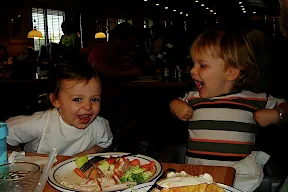
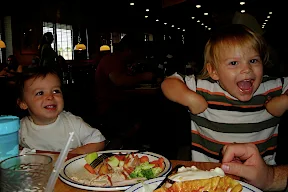
It helps that there are times like when he follows you into the bathroom (like all the time) to mimic what you're doing. Like pulling toilette paper off the roll. And repeating the process. Till you tell him to stop. To which command he refuses to obey and then you get mad and then he wipes himself over his diaper and then you laugh.
I swear one of the hardest things about parenting is keeping a straight face.

Could Ya Pencil Me In?
Hand-Made Mac Tip No. 4
Travel & Trip Blogging using Social Networking Service: Dopplr

Before we left for our trip, I started organizing some of the trip details with a social networking tool called Dopplr. I even made some journal notes in it recently. (Thanks to fellow MomsGoneGeek co-host, GeekyCyberMom for turning me on to this service.)
I suppose you might have to have an account to view it, but above is a blog widget to show you a preview. It also has links to photos on my Flickr account in some of the individual trip details. (although, you know me, I wish it were my Picasa account instead.) Some of the pictures associated with the trip are off, but I suspect it's just syncing the dates in the XML data of the photos.
I do like how you can subscribe to it (as well as others' Dopplrs you socialize with) and sync it with iCal. You can enter details and they appear in the notes section of each iCal entry.
I just wish you could tweak it a little further to specify trip names and detailed times so I could really use it as a public calendar to schedule events and trips. Instead of just saying "In Philadelphia" I'd like it to say "Playdate with Triplets." I'd also like to specify a time as opposed to an all day event when it might not be an entire day trip. I can at least do that in the notes section, but you know scatterbrained moms like me like to have alarms to remember stuff. My iCal is my other brain. I'd be lost without it.

Let me know what you think of this tool. (Leave me a comment.) I would be especially interested if you have any other tips on some good traveling tools like this that might be more open for family and friends who might be opposed to signing up for some service they might never use. That's one beef I always have with services.
I realize that this isn't truly Dopplr's intended use, but it's got great potential. Isn't that what we moms do anyhow? Foster great potential?
Just saying.
Happy travels to you :)
Travel & Trip Blogging using Social Networking Service: Dopplr
Before we left for our trip, I started organizing some of the trip details with a social networking tool called Dopplr. I even made some journal notes in it recently. (Thanks to fellow MomsGoneGeek co-host, GeekyCyberMom for turning me on to this service.)
I suppose you might have to have an account to view it, but above is a blog widget to show you a preview. It also has links to photos on my Flickr account in some of the individual trip details. (although, you know me, I wish it were my Picasa account instead.) Some of the pictures associated with the trip are off, but I suspect it's just syncing the dates in the XML data of the photos.

I do like how you can subscribe to it (as well as others' Dopplrs you socialize with) and sync it with iCal. You can enter details and they appear in the notes section of each iCal entry.
I just wish you could tweak it a little further to specify trip names and detailed times so I could really use it as a public calendar to schedule events and trips. Instead of just saying "In Philadelphia" I'd like it to say "Playdate with Triplets." I'd also like to specify a time as opposed to an all day event when it might not be an entire day trip. I can at least do that in the notes section, but you know scatterbrained moms like me like to have alarms to remember stuff. My iCal is my other brain. I'd be lost without it.

Let me know what you think of this tool. (Leave me a comment.) I would be especially interested if you have any other tips on some good traveling tools like this that might be more open for family and friends who might be opposed to signing up for some service they might never use. That's one beef I always have with services.
I realize that this isn't truly Dopplr's intended use, but it's got great potential. Isn't that what we moms do anyhow? Foster great potential?
Just saying.
Happy travels to you :)
Road Trip 2008 - post 1
Road Trip!!!!
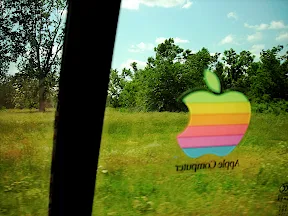
Well, I had all these great aspirations to chronicle all of the details of our road trip while driving this year from our home in Arizona out to visit my family in Pennsylvania. I was all packed up and organized with technology and even prepared with a spare battery for my laptop. I learned though that I had to conserve on the laptop usage while we were driving because it was a lot of work to keep Lucian entertained in the back seat.
It turns out, Nate did all of the driving for the whole trip anyhow. He was much more comfortable plus I don't think he really likes my driving anyhow. I stayed in the back seat the whole way and tried my best to keep Lucian from being uncomfortable in his car seat. It worked out pretty well. I was really proud of myself for how well we coordinated the space in the back of our little Elantra.
There were a few times when he got a little cranky and then that's where the magic of having the laptop came in handy. I was able to whip it out of the bag and pop in a DVD. It worked out well later in the evenings as we drove because there wasn't the sun glare to compete with the LCD screen backlighting. We brought along an extender audio cable to plug in the cassette tape converter so the sound from the laptop could be piped out through the car's stereo speakers. It worked great! It was like having surround sound in the car. We watched several Muppet episodes from Season 1 (thanks to uncle Dan) and Finding Nemo in its entirety!
As Dory says in the movie, "Just keep swimming. Just keep swimming. Just keep swimming, swimming, swimming. What do we do? We swim, swim."

Now, just replace swim with drive and that's what we did.
We didn't know for sure how long it would take us to travel out since it was our first road trip with a toddler so we didn't really plan on a lot of sight seeing. It turns out we made the trip in 4 whole days. We left on June 1st and arrived at my Dad's place on the 5th. We made a couple of stops along the way, but for the most part it was just drive, pee, change diaper, fuel up, rinse and repeat. We packed food and snacked along the way. That really saved a lot of time. We basically had a really good breakfast each day and then snacked the rest of the time until we reached our destination.
We made our first stop somewhere in New Mexico. I think it was Santa Rosa. We stayed in a budget motel since it was close to midnight local time. Lucian even got his own queen-sized bed! It wasn't the best of places, the bathroom was icky (didn't use it but for the basics), but we couldn't beat thirty-six bucks for 2 beds and free wifi. I didn't get to use it but to quickly download email messages before checkout, but oh well. The guy who checked us in was really nice. He even spotted us at the Denny's having breakfast the next morning and asked if I was able to connect to the wifi ok. I hope we can find it on our way back or at least something like it.
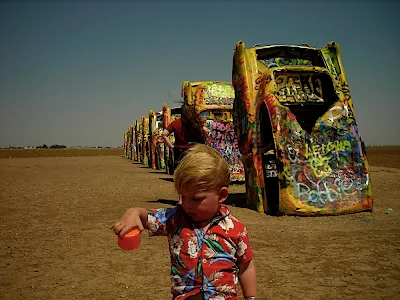
Our goal was to try to drive all the way across Texas in a day. It worked out really well. We had to stop at CarHenge though. It's one of our favorite little places. If you haven't ever been to it, it's a must see why traveling through Amarillo, Texas.
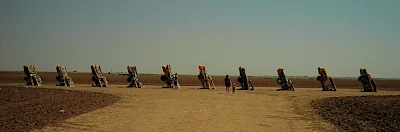

We pushed on and made it all the way to the edge of Oklahoma by midnight, local time where we stayed with Nate's great aunt. She's 87 and adorable. She stayed up and chatted with us till 3 am. Lucian got his very own, adorable little room. We had breakfast in the afternoon (it was breakfast in our minds yet) at a cute little place called Buttered Bunns Cafe. Commerce, OK is such an adorable little town!

Next stop was Rosebud, MO to stay with Nate's second cousin, LaVon. She is such a cool chick. She's over sixty-five and tech savvy! She even has a few websites she tinkers with. The boys went to bed while her and I stayed up and geeked out together till wee hours in the morning. I'm looking forward to doing more of that with her on the way back. Maybe she'll be feeling better for some picture taking next time too. She's one of my favorite MomsGoneGeek.
I'll end this entry here and pick up next time to post about our next stop in Troy, Ohio to visit and stay with a very good friend. That will require some movie editing and more photos. I'm also collecting more as the days go by. Pretty soon I'll implode if I don't do something with all of it!
Well, I had all these great aspirations to chronicle all of the details of our road trip while driving this year from our home in Arizona out to visit my family in Pennsylvania. I was all packed up and organized with technology and even prepared with a spare battery for my laptop. I learned though that I had to conserve on the laptop usage while we were driving because it was a lot of work to keep Lucian entertained in the back seat.
It turns out, Nate did all of the driving for the whole trip anyhow. He was much more comfortable plus I don't think he really likes my driving anyhow. I stayed in the back seat the whole way and tried my best to keep Lucian from being uncomfortable in his car seat. It worked out pretty well. I was really proud of myself for how well we coordinated the space in the back of our little Elantra.
There were a few times when he got a little cranky and then that's where the magic of having the laptop came in handy. I was able to whip it out of the bag and pop in a DVD. It worked out well later in the evenings as we drove because there wasn't the sun glare to compete with the LCD screen backlighting. We brought along an extender audio cable to plug in the cassette tape converter so the sound from the laptop could be piped out through the car's stereo speakers. It worked great! It was like having surround sound in the car. We watched several Muppet episodes from Season 1 (thanks to uncle Dan) and Finding Nemo in its entirety!
As Dory says in the movie, "Just keep swimming. Just keep swimming. Just keep swimming, swimming, swimming. What do we do? We swim, swim."

Now, just replace swim with drive and that's what we did.
"Just keep driving. Just keep driving. Just keep driving, driving, driving. What do we do? We drive, drive, drive."
We didn't know for sure how long it would take us to travel out since it was our first road trip with a toddler so we didn't really plan on a lot of sight seeing. It turns out we made the trip in 4 whole days. We left on June 1st and arrived at my Dad's place on the 5th. We made a couple of stops along the way, but for the most part it was just drive, pee, change diaper, fuel up, rinse and repeat. We packed food and snacked along the way. That really saved a lot of time. We basically had a really good breakfast each day and then snacked the rest of the time until we reached our destination.
We made our first stop somewhere in New Mexico. I think it was Santa Rosa. We stayed in a budget motel since it was close to midnight local time. Lucian even got his own queen-sized bed! It wasn't the best of places, the bathroom was icky (didn't use it but for the basics), but we couldn't beat thirty-six bucks for 2 beds and free wifi. I didn't get to use it but to quickly download email messages before checkout, but oh well. The guy who checked us in was really nice. He even spotted us at the Denny's having breakfast the next morning and asked if I was able to connect to the wifi ok. I hope we can find it on our way back or at least something like it.
Our goal was to try to drive all the way across Texas in a day. It worked out really well. We had to stop at CarHenge though. It's one of our favorite little places. If you haven't ever been to it, it's a must see why traveling through Amarillo, Texas.

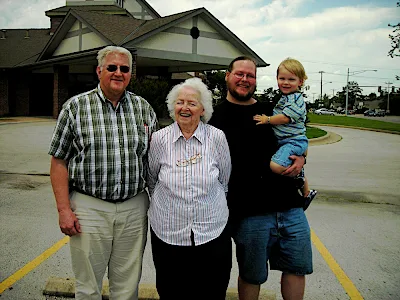
We pushed on and made it all the way to the edge of Oklahoma by midnight, local time where we stayed with Nate's great aunt. She's 87 and adorable. She stayed up and chatted with us till 3 am. Lucian got his very own, adorable little room. We had breakfast in the afternoon (it was breakfast in our minds yet) at a cute little place called Buttered Bunns Cafe. Commerce, OK is such an adorable little town!

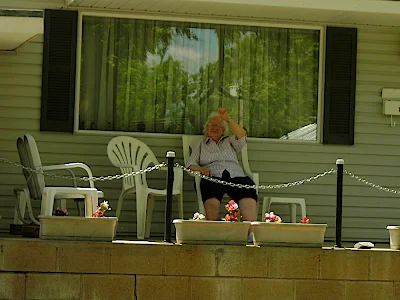
Next stop was Rosebud, MO to stay with Nate's second cousin, LaVon. She is such a cool chick. She's over sixty-five and tech savvy! She even has a few websites she tinkers with. The boys went to bed while her and I stayed up and geeked out together till wee hours in the morning. I'm looking forward to doing more of that with her on the way back. Maybe she'll be feeling better for some picture taking next time too. She's one of my favorite MomsGoneGeek.
I'll end this entry here and pick up next time to post about our next stop in Troy, Ohio to visit and stay with a very good friend. That will require some movie editing and more photos. I'm also collecting more as the days go by. Pretty soon I'll implode if I don't do something with all of it!
Stay tuned for more Road Trip adventures of TheMacMommy and family!
June 16, 2008
Girl Effect
A noun. A verb. Words meet people. People meet actions. Actions make change. Change affects us. Will you be affected? Will you make change happen?
I helped. I shared. I may do more but I will not do less.
Butterfly kisses to you.
I helped. I shared. I may do more but I will not do less.
Butterfly kisses to you.
Subscribe to:
Posts (Atom)